GIF Background Remover
Remove the background from any animated GIF and download a transparent GIF, APNG or WebP — free, private and right here on this page.
Free: GIF up to 8 MB · up to 48 frames · longest side 512px (resized automatically)
Drop a GIF, or click to choose
Remove the background from an animated GIF in seconds
ShotWorker finds the main subject in every frame of your GIF, removes everything behind it and rebuilds the animation with a transparent background. Frame order and timing stay exactly as they were, so the motion looks the same — just without the backdrop.
There is nothing to install and no account to create. Drop a GIF into the box above, wait a few seconds, preview the result next to the original and download the format you need.
- Works on product spins, unboxing loops, reaction GIFs, stickers and logo animations
- Soft, natural edges around hair, fabric, shadows and packaging
- Side-by-side preview on a checkerboard so you can see real transparency
Before and after
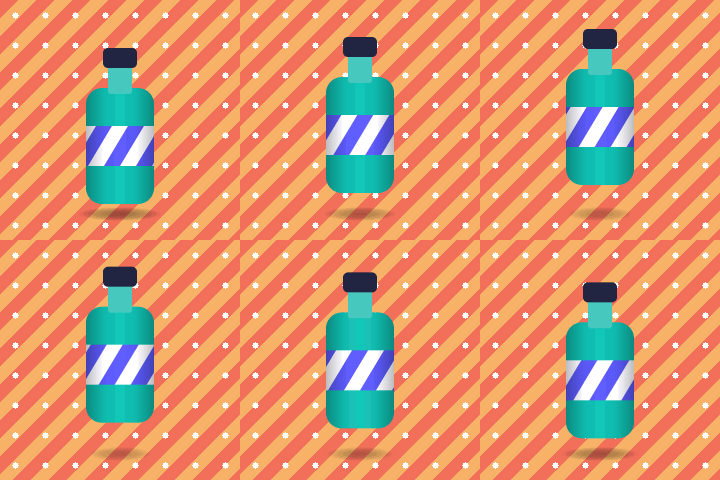

A short product animation on a busy studio backdrop, and the same animation after the background is removed. The checkerboard shows the transparent areas.
How to remove the background from a GIF
Three steps, all on this page:
Drop your GIF
Drag an animated GIF into the upload box or click to choose a file. It stays on your device.
Let ShotWorker clear the background
Every frame is processed automatically and you can follow the progress frame by frame.
Preview and download
Compare the result with the original, pick transparent APNG, GIF, WebP or a solid color, and download.
Built for ecommerce and product animations
Animated product shots grab attention on store pages, in ads and in email — but only if they blend into the page. A transparent GIF sits cleanly on any background color or theme.
- Online stores: put spinning or looping product shots on any page color
- Marketplace sellers: reuse one animation across listings and banners
- Social media and ads: drop animated cutouts onto branded backgrounds
- Email marketing: match the animation to your template instead of a white box
- Creators: turn clips into stickers, overlays and emotes
Export formats: transparent GIF, APNG and WebP
Each result is available in four formats, so you can choose between maximum compatibility and maximum quality.
- Transparent APNG — best quality with smooth, soft edges; plays in all modern browsers
- Transparent GIF — the classic format; edges are either fully visible or fully transparent, so soft details can look slightly jagged
- Animated WebP — small files with soft edges, ideal for websites
- Color background GIF — an opaque GIF on any solid color you pick, for places that do not support transparency
Private by design: your GIFs stay on your device
Your GIF is processed on your own device. It is never uploaded to our servers, never stored and never seen by anyone else. Close the tab and it is gone.
The first GIF may take a moment while the tool prepares; later runs are faster.
Free plan limits
The GIF background remover is free with no signup and no watermark. To keep it fast on laptops and phones, a few fair-use limits apply:
- File size up to 8 MB
- Up to 48 frames — longer GIFs are trimmed to the first 48 frames with a notice
- Longest side up to 512px — larger GIFs are resized automatically, never rejected
Tips for the cleanest transparent GIF
- Use GIFs where the subject clearly stands out from the background
- Keep the subject fully in frame — cropped edges stay cropped
- Choose APNG or WebP when soft edges, hair or shadows matter
- Choose transparent GIF when a tool or platform only accepts .gif files
- If your GIF already has transparency, ShotWorker keeps the original transparent areas
GIF background remover FAQ
How do I remove the background from a GIF?
Drop your animated GIF into the upload box at the top of this page. ShotWorker removes the background from every frame and shows a preview next to the original. Then download a transparent APNG, transparent GIF, animated WebP or a solid-color GIF.
Is the GIF background remover free?
Yes. It is free with no signup and no watermark. Fair-use limits apply: files up to 8 MB, up to 48 frames and 512px on the longest side.
Are my GIFs uploaded to a server?
No. Your GIF is processed on your own device and never leaves it. Nothing is uploaded or stored on our servers.
Should I download APNG or transparent GIF?
Choose APNG for the best quality: it keeps soft, smooth edges and plays in all modern browsers. Transparent GIF can only make each pixel fully visible or fully transparent, so soft edges such as hair or shadows can look jagged. Use GIF when a platform only accepts .gif files.
Does it keep the animation speed and frame order?
Yes. Every frame keeps its original position and timing, so the animation plays at the same speed as your original GIF.
Can I put the animation on a solid color instead of transparency?
Yes. Open the Color Background tab after processing, pick any color, and download an opaque GIF on that color.
Why does the first GIF take a little longer?
The first use may take a moment to prepare. Later runs are faster.
Does it work on my phone?
Yes. ShotWorker works in modern mobile browsers. Short GIFs process fastest on phones.